Walking Pad Safety Tips: Complete Guide (2026)
Current product-safety notice: CPSC warned consumers on April 16, 2026 to stop using specified Sperax Pro, Q1, RM-01 and RM-02 walking pads and treadmills. We removed older recommendations and shopping links for that brand while exact models are re-audited. Check the official CPSC warning and follow its stop-use instructions.
Walking pads are one of the safest pieces of fitness equipment you can own. The speeds are low. The surface is flat. There is no heavy weight to drop, no resistance band to snap, no barbell to fail under. The most dangerous thing about a walking pad is forgetting that the floor is moving under your feet while you are focused on your screen.
That said, "safe" is not "zero risk." People do stumble. People do slip. People do overexert. Nearly all walking pad injuries are preventable with basic awareness and setup. This guide covers every safety consideration — from the obvious (wear shoes) to the overlooked (electrical cord placement).
The 5 Most Common Walking Pad Injuries
1. Slip from Improper Footwear
What happens: Walking in socks, bare feet, or smooth-soled shoes on a moving belt. The belt moves; your feet do not grip; you slip backward and fall.
How common: The most common walking pad injury. Almost always occurs in the first week of ownership, before the user establishes a footwear habit.
Prevention: Wear closed-toe shoes with rubber soles. Every time. No exceptions.
2. Trip When Stepping On or Off
What happens: You step onto a moving belt without matching your foot speed to the belt speed, or you step off while the belt is still moving and your gait is interrupted.
How common: Second most common. Usually happens during the first few days while learning the mount/dismount sequence.
Prevention: Start the belt at the lowest speed. Step on with one foot first, match the speed, then bring the second foot. To dismount, slow the belt to minimum speed (or stop it) before stepping off.
3. Balance Loss from Distraction
What happens: You are focused on your screen, your gait drifts to one side, your foot catches the edge of the belt or steps onto the side rail, and you stumble.
How common: Occasional, usually at higher speeds (2.5+ mph) when the user is deeply focused on screen work.
Prevention: Stay at speeds where a misstep is a minor stumble, not a fall. At 1.5 mph, a mis-step is easily corrected. At 3.0 mph, a misstep can cause a genuine stumble.
4. Overexertion and Fatigue
What happens: Walking too long or too fast, especially when starting out. Feet ache, legs fatigue, concentration drops, and sloppy foot placement leads to stumbles.
How common: Common in the first two weeks, usually among enthusiastic new users who walk 3+ hours on day one.
Prevention: Start with 30–45 minutes per session. Build gradually. Take breaks every 60–90 minutes.
5. Cord or Object Entanglement
What happens: The walking pad power cord, a charging cable, or an object on the floor gets caught in the belt mechanism or wraps around a foot.
How common: Rare but preventable. Usually involves cables that drape across the walking path.
Prevention: Route all cables away from the walking pad. No loose cords, bags, or objects within 12 inches of the belt edges.
Emergency Stop: Know Your System
Before Your First Walk
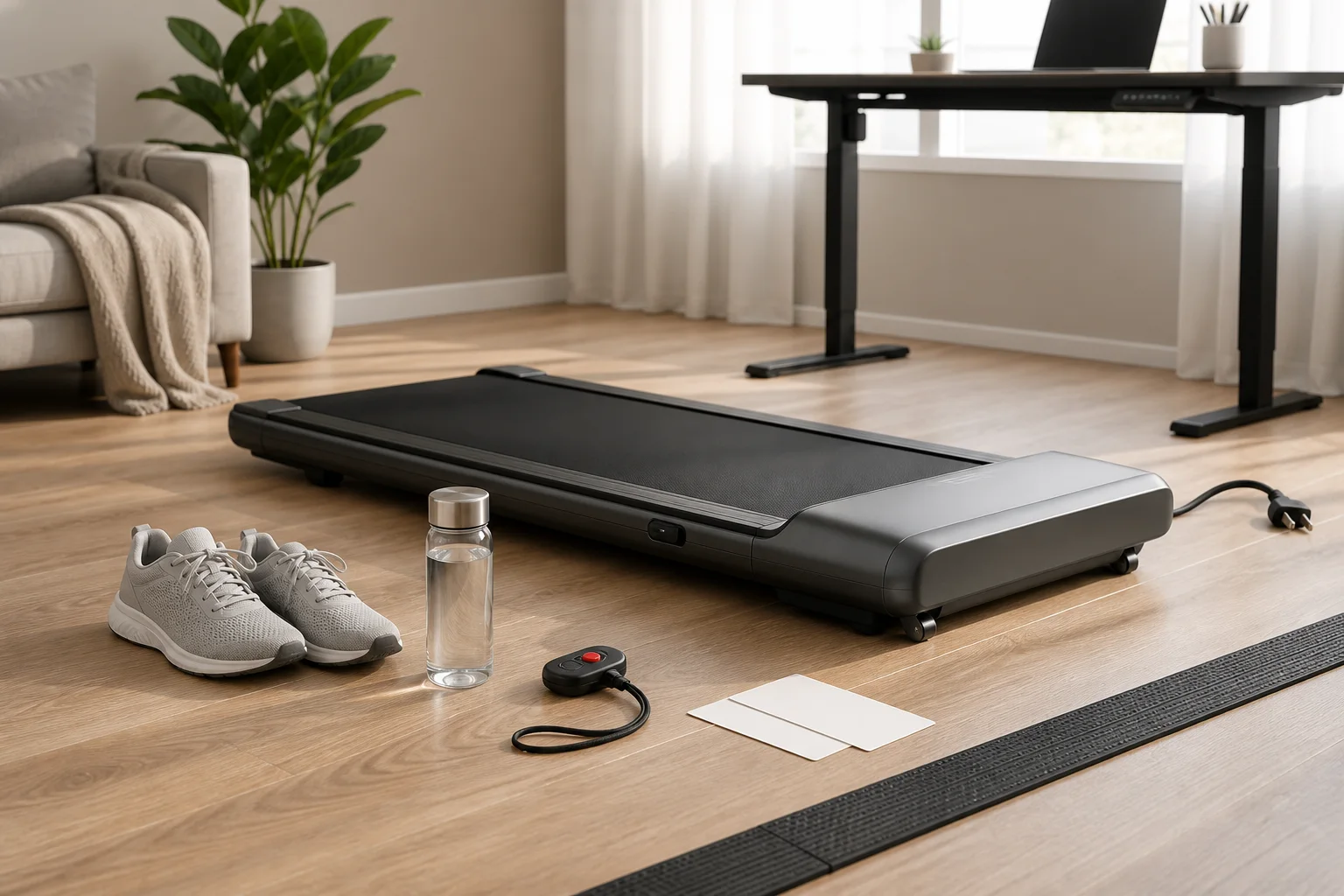
Every walking pad has at least one emergency stop method. Find it, test it, and know how to activate it without looking before you ever walk at speed.
Emergency Stop Types
| Type | How It Works | Activation | Response Time | Found On |
|---|---|---|---|---|
| Safety key (magnetic clip) | Magnetic key attached to a cord clips to your clothing; pulling it off the pad kills power | Automatic when you move too far from the pad | Instant (< 0.5 sec) | Pads with handlebars (Goplus 2-in-1, traditional treadmills) |
| Remote control stop | Press the large button on the handheld remote | Manual — requires you to press the button | 1–2 seconds | All walking pads with remotes |
| Foot-off deceleration | Belt slows when sensors detect reduced foot pressure | Semi-automatic | 3–5 seconds to full stop | Some premium pads with foot-sensing |
| Power button on pad | Press the main power button on the pad body | Manual — requires bending down | 1–2 seconds | All walking pads |
Critical Rule: Test Before You Walk
- Turn the pad on at its lowest speed
- Step on and walk normally for 10 seconds
- Activate each emergency stop method:
- Pull the safety key (if equipped)
- Step off the belt to trigger auto-stop
- Press the stop button on the remote
- Confirm the belt stops within 3 seconds each time
- Only then begin your real walking session
If any emergency stop does not work reliably, do not use the pad until it is repaired or replaced.
Safe Speed Limits While Working
Speed Safety Matrix
| Speed | Safety Level | Body Stability | Typing Possible? | Recommended For |
|---|---|---|---|---|
| 0.5–1.0 mph | ✅ Very safe | Extremely stable | ✅ Full speed | First-day familiarization; balance-concerned users |
| 1.0–1.5 mph | ✅ Safe | Very stable | ✅ Full speed | Video calls; precision desk work |
| 1.5–2.0 mph | ✅ Safe | Stable | ✅ Near-normal | General desk work; email; browsing |
| 2.0–2.5 mph | ✅ Safe with awareness | Mostly stable | ⚠️ Slightly slower | Light desk work; reading; phone calls |
| 2.5–3.0 mph | ⚠️ Moderate risk | Requires balance attention | ❌ Impractical | Exercise only — hands free |
| 3.0–3.5 mph | ⚠️ Higher risk | Active balance needed | ❌ No | Exercise only — focused walking |
| 3.5+ mph | ❌ Not recommended | Light jogging territory | ❌ No | Beyond most walking pads' safe design |
The Golden Rule
Never walk faster than you can comfortably stop and stand still without grabbing the desk. If you need to lunge for the desk edge to catch yourself when the belt stops unexpectedly, you are walking too fast for desk use.
Speed-Up Protocol
Do not jump to your target speed. Increase gradually:
- Start every session at 1.0 mph for 2–3 minutes (warm-up and belt familiarization)
- Increase by 0.5 mph every 2–3 minutes until you reach your target
- Before any speed increase, confirm: Am I stable? Am I comfortable? Could I stop right now without grabbing anything?
- If any answer is no, stay at the current speed or reduce
Footwear: What to Wear (and Never Wear)
Safe Footwear
| Footwear | Safety Rating | Why |
|---|---|---|
| Athletic walking shoes (Nike, New Balance, ASICS) | ✅ Best | Cushioned midsole, rubber outsole, arch support, closed toe |
| Running shoes | ✅ Excellent | Same benefits as walking shoes; may have more cushion than needed |
| Cross-trainers | ✅ Good | Stable platform, good grip, adequate cushion |
| Casual sneakers (Converse, Vans flat-sole) | ⚠️ Adequate | Closed toe and some grip but minimal cushion — feet tire faster |
Unsafe Footwear
| Footwear | Safety Rating | Why |
|---|---|---|
| Socks only | ❌ Dangerous | Zero grip on belt — slip hazard |
| Barefoot | ❌ Dangerous | No grip, no cushion, no toe protection; belt friction can cause skin irritation |
| Sandals / flip-flops | ❌ Dangerous | Open toe, no heel grip, can catch in belt edges |
| High heels | ❌ Dangerous | Unstable platform, no grip, ankle injury risk |
| Dress shoes (leather sole) | ❌ Unsafe | Smooth sole has minimal grip on belt |
| Slippers | ❌ Unsafe | Loose fit, minimal grip, can slip off |
Dedicated Walking Pad Shoes
Many regular walking pad users keep a dedicated pair of shoes at their desk — clean-soled walking shoes that never go outside. Benefits:
- Always available (no "I forgot my walking shoes" days)
- Clean soles do not track dirt onto the belt (extends belt life)
- Consistent grip and comfort every session
- No marks on the belt from outdoor-worn soles
Surface and Placement Safety
Where to Place Your Walking Pad
| Location | Safety Level | Notes |
|---|---|---|
| Flat, level floor | ✅ Safe | The only acceptable surface |
| On a mat on hard floor | ✅ Safest | Mat adds grip, protects floor, reduces sliding |
| On low-pile carpet | ✅ Safe | Carpet provides natural grip; may need firm mat for stability |
| On deep-pile carpet | ⚠️ Caution | Pad may sink unevenly; use a firm mat on top |
| On a rug (loose) | ❌ Unsafe | Rug can bunch, slide, or catch in the belt |
| On an uneven floor | ❌ Unsafe | Pad rocks with each step — balance hazard |
| Near stairs or edges | ❌ Unsafe | A stumble near stairs becomes a serious fall |
Clearance Requirements
| Direction | Minimum Clearance | Why |
|---|---|---|
| Behind the pad | 24 inches | Step-off space if you lose balance backward |
| Both sides | 12 inches | Room to step off laterally in an emergency |
| Front | 12 inches | Space between pad and desk/wall |
| Above | Clear ceiling/shelf | No overhead obstacles at walking height |
Cable Management
Power cords are the most overlooked safety hazard. Route the walking pad power cord:
- Away from the walking path — never across the belt area or where you step on/off
- Against a wall or under a desk edge — secured with cord clips
- With slack — a taut cord can be pulled if you move the pad, creating an electrical hazard
- Away from the belt mechanism — cords caught in the belt's underside can cause electrical shorts or motor damage
For complete floor protection and mat guidance, see our best walking pad mat guide.
Posture While Walking and Working
Correct Walking Posture
| Body Part | Correct Position | Common Mistake |
|---|---|---|
| Head | Level, looking forward at screen | Tilting down to look at feet (neck strain) |
| Shoulders | Relaxed, not hunched | Tensing up from concentrating on walking |
| Arms | Relaxed at sides or on desk/keyboard | Gripping desk for balance (too fast) |
| Core | Lightly engaged | Slouching forward toward screen |
| Hips | Level, facing forward | Twisting to reach something off to the side |
| Feet | Landing mid-foot, centered on belt | Heel-striking hard; drifting to one side |
| Stride | Natural, moderate length | Overstriding (reaching forward with each step) |
The Monitor-Neck Connection
The most common posture injury from walking pad desk use is neck strain — caused by a monitor that is too low. When you stand on a walking pad, you are 4–6 inches taller than when standing on the floor. Your existing monitor height is now too low, forcing your neck to tilt downward.
The fix: Raise your monitor so the top edge is at eye level while walking. A monitor arm is the best solution. For complete desk setup guidance, see our walking pad desk setup guide.
Signs of Poor Walking Posture
If you experience any of these during or after a walking session, your posture needs adjustment:
- Neck pain or stiffness → Monitor is too low
- Shoulder tension → You are hunching or gripping the desk
- Lower back ache → You are leaning forward toward the screen
- Foot pain (one side) → You are favoring one side of the belt
- Hip pain → You are twisting to reach something rather than stopping and turning
Hydration and Physical Limits
Hydration
Walking at desk speeds burns 150–250 calories per hour — modest but real. You are generating heat, losing moisture through breathing, and exerting more than sitting. Keep water at your desk and drink regularly.
| Walking Duration | Minimum Water Intake | Signs of Dehydration |
|---|---|---|
| Under 1 hour | 8–12 oz (1 glass) | Unlikely at this duration |
| 1–2 hours | 16–24 oz (2–3 glasses) | Dry mouth, mild headache |
| 2–3 hours | 24–36 oz (3–4 glasses) | Fatigue, decreased concentration |
| 3+ hours | 32+ oz (4+ glasses) | Dizziness, significant fatigue — take a break |
Physical Limits: When to Stop
Stop walking immediately if you experience:
- Dizziness or lightheadedness
- Chest pain or unusual shortness of breath
- Sharp pain in feet, knees, hips, or back
- Numbness or tingling in legs or feet
- Feeling faint or unsteady
- Nausea
Take a break (sit or stand still) if you experience:
- Foot soreness — arches or heels aching
- Mild lower back fatigue
- Decreased concentration or focus
- Sloppy foot placement — catching belt edges
- General leg fatigue
The Beginner Ramp
New walking pad users consistently overdo the first week. The enthusiasm of a new purchase leads to 3–4 hour walking sessions on day one, followed by sore feet and abandoned pads by day five.
| Week | Max Continuous Walking | Max Daily Total | Speed |
|---|---|---|---|
| 1 | 30–45 minutes | 60–90 minutes | 1.0–1.5 mph |
| 2 | 45–60 minutes | 90–150 minutes | 1.5–2.0 mph |
| 3 | 60–90 minutes | 2–3 hours | 2.0–2.5 mph |
| 4+ | 60–90 minutes per session | 3–5 hours | Your comfortable speed |
The 60–90 minute session limit is not about fitness — it is about foot fatigue and posture degradation. After 90 minutes of continuous walking, most people's posture deteriorates, foot placement becomes sloppy, and injury risk increases. Take a 10–15 minute sitting or standing break, then resume.
Electrical Safety
Power Cord Safety
| Rule | Why |
|---|---|
| Use the included power adapter only | Third-party adapters may deliver incorrect voltage, causing overheating or motor damage |
| Do not use extension cords if possible | Extension cords add resistance and connection points that can overheat under motor load |
| If extension cord is necessary: use a heavy-duty one (14 AWG or thicker) rated for the pad's amperage | Thin extension cords overheat with sustained motor draw |
| Do not plug into a power strip with many other devices | Motor startup current can trip overloaded strips |
| Keep the cord away from water | Spilled drinks near the power entry point are an electrical hazard |
| Inspect the cord monthly | Check for fraying, kinks, or heat damage near the plug and pad entry point |
Motor Safety
Walking pad motors have thermal protection — they shut off automatically when overheated. If your pad stops unexpectedly during use:
- Do not restart immediately. The thermal cutoff activated for a reason.
- Wait 15–20 minutes for the motor to cool.
- Check for causes: Are you exceeding the weight limit? Is the belt tight or dry (increasing motor load)? Is the ambient temperature very high?
- If thermal shutdowns recur regularly, the motor is overloaded — reduce speed, lubricate the belt, or the pad may need replacement.
Who Should NOT Use a Walking Pad
Consult a Doctor First If:
| Condition | Concern | Guidance |
|---|---|---|
| Pregnancy | Balance changes, joint laxity | Many OB-GYNs approve low-speed walking; get individual clearance |
| Recent surgery (especially lower body) | Healing tissues, altered gait | Wait for surgical clearance before returning to walking exercise |
| Balance disorders (vertigo, inner ear conditions) | Fall risk on moving surface | May be contraindicated; doctor evaluation needed |
| Severe heart conditions | Even light exercise may be restricted | Cardiac clearance required |
| Active foot or ankle injury | Walking aggravates the injury | Wait until healed and cleared |
| Severe joint conditions (advanced arthritis) | Walking may increase inflammation | Rheumatologist guidance needed |
Do NOT Use a Walking Pad If:
- You are under the influence of alcohol or sedating medication — impaired balance on a moving surface is dangerous
- You are extremely fatigued or sleep-deprived — reaction time and balance are impaired
- The pad has a mechanical issue (belt slipping, unusual noise, burning smell) — stop and inspect/repair before use
- Children or pets are nearby and unsupervised — moving belts are a serious hazard for small hands, feet, and paws
First-Session Safety Checklist
Before your very first walk, run through this checklist:
Setup Checks
- Walking pad is on a flat, level surface
- Mat under the pad (if on hard floor)
- Power cord routed away from walking path
- 24 inches of clear space behind the pad
- 12 inches clear on each side
- No loose rugs, cables, or objects near the pad
- Desk height adjusted for walking (if under-desk use)
- Monitor at eye level while standing on the pad
Safety Function Checks
- Remote control works (on/off, speed up, speed down)
- Emergency stop tested at low speed
- Auto-stop sensor tested (step off, confirm belt stops within 3 seconds)
- Safety key tested (if equipped)
Personal Checks
- Wearing closed-toe shoes with rubber soles
- Water bottle within reach
- No loose clothing that could catch in the belt
- Shoelaces tied securely
- Phone or remote accessible without reaching dangerously
First Walk Protocol
- Start at 0.5–1.0 mph
- Walk for 5 minutes at minimum speed — get comfortable with the belt movement
- Increase to 1.5 mph — walk for 10 minutes
- Practice stopping: press stop on the remote, step off when the belt slows
- Practice restarting: step on at minimum speed, increase gradually
- Total first session: 20–30 minutes maximum
For ongoing desk ergonomics, see our walking pad desk ergonomics guide. For pad selection, see our best budget walking pads guide.
Frequently Asked Questions
Are walking pads safe?
Yes — when used correctly at walking speeds (1.0–3.5 mph) with proper shoes and awareness of emergency stop. They are safer than treadmills due to lower speeds, no incline, and open design.
What speed is safe while working?
1.0–2.5 mph. At 1.0–1.5 mph, your body is very stable — typing and calls work normally. Above 3.0 mph, balance requires active attention and desk work becomes impractical.
What shoes should I wear?
Closed-toe athletic shoes with cushioned rubber soles. Never walk in socks, barefoot, sandals, or smooth-soled shoes. Keep a dedicated pair at your desk.
How does emergency stop work?
Safety key (clips to clothing, pulls off to kill power), auto-stop sensor (detects when you step off), or remote control stop button. Test all methods before your first real walk.
Can I fall off?
Unlikely at walking speeds but possible if distracted at higher speeds. Walk at speeds where a misstep is a minor stumble, not a fall. Stay aware of foot position.
Do I need to hold onto something?
No, not at 1.0–2.5 mph. If you need to grip the desk for stability, you are walking too fast. During first sessions, keep a hand near (not on) the desk until confident.
How long can I walk safely?
60–90 minutes per session, then take a 10–15 minute break. Start with 30–45 minutes in week one and build gradually. Multiple moderate sessions are safer than one marathon.
Is it safe during pregnancy?
Consult your OB-GYN. Light walking on a pad is generally considered safe for uncomplicated pregnancies, but balance changes require lower speeds (1.0–1.5 mph) and extra caution.
Sources and Methodology
This guide provides walking pad safety information based on fitness equipment safety standards, biomechanical principles, and common injury prevention practices.
Safety Standards:
- Consumer Product Safety Commission (CPSC): Home exercise equipment safety guidelines — cpsc.gov
- ASTM International: Fitness equipment safety standards (ASTM F2115 for motorized treadmills — applicable principles for walking pads)
Health References:
- CDC: Physical Activity Guidelines for Americans — walking as safe, recommended activity — cdc.gov
- ACSM: Guidelines for Exercise Testing and Prescription — exercise intensity, hydration, and contraindications
- Mayo Clinic: Exercise during pregnancy — general guidelines for walking exercise
Biomechanical References:
- Gait biomechanics: walking speed and stability — faster speeds reduce recovery time from perturbation
- Hydration during exercise: ACSM fluid replacement guidelines for moderate-intensity activity
Methodology notes:
- Safety recommendations based on standard fitness equipment safety practices adapted for walking pad-specific use patterns (low speed, under-desk, multitasking)
- Speed safety classifications based on walking biomechanics — balance stability decreases as speed increases and attention divides between walking and desk work
- Injury types identified from common treadmill and walking pad incident reports and exercise equipment safety literature
- This guide provides general safety information, not medical advice. Consult a healthcare provider before beginning any exercise program, especially with pre-existing conditions
- We may earn a commission on purchases at no additional cost to you; affiliate relationships do not influence recommendations
Internal links referenced:
Visual Guide Gallery