Walking Pad Maintenance Guide (Keep It Running 2026)
Current product-safety notice: CPSC warned consumers on April 16, 2026 to stop using specified Sperax Pro, Q1, RM-01 and RM-02 walking pads and treadmills. We removed older recommendations and shopping links for that brand while exact models are re-audited. Check the official CPSC warning and follow its stop-use instructions.
Walking pads are simple machines — a motor, a belt, a deck, and some electronics. But "simple" does not mean "maintenance-free." The belt slides over the deck thousands of times per session. The motor runs for hours daily. Dust, sweat, and shoe debris accumulate on every surface. Without maintenance, a $250 walking pad lasts 1–2 years. With basic maintenance, the same pad lasts 4–6 years.
The good news: walking pad maintenance is easy, infrequent, and takes less time than making coffee. The bad news: most people skip it entirely, then wonder why their pad sounds like a dying washing machine after 8 months.
This guide covers everything — from the 5-minute monthly tasks to the once-a-year inspections.
Maintenance Schedule Overview
Quick Reference Calendar
| Task | Frequency | Time | Difficulty | Impact on Lifespan |
|---|---|---|---|---|
| Belt surface wipe | Weekly | 2 min | Easy | Low |
| Belt deep clean | Monthly | 5 min | Easy | Low |
| Belt lubrication | Every 3–6 months | 10 min | Easy | ★★★★★ Highest |
| Belt tension check | Every 3–6 months | 3 min | Easy | ★★★★☆ High |
| Belt alignment check | Every 3–6 months | 2 min | Easy | ★★★★☆ High |
| Motor vent cleaning | Every 3–6 months | 3 min | Easy | ★★★☆☆ Medium |
| Deck inspection | Every 6–12 months | 5 min | Easy | ★★★☆☆ Medium |
| Full inspection | Annually | 15 min | Moderate | ★★★☆☆ Medium |
| Electronics check | Annually | 3 min | Easy | ★★☆☆☆ Low |
| Power cord inspection | Every 6 months | 1 min | Easy | ★★☆☆☆ Low (safety) |
By Usage Level
| Usage Level | Lubrication | Belt Clean | Tension Check | Full Inspection |
|---|---|---|---|---|
| Light (under 1 hr/day) | Every 6 months | Monthly | Every 6 months | Annually |
| Moderate (1–3 hrs/day) | Every 3–4 months | Bi-weekly | Every 3–4 months | Every 6 months |
| Heavy (4+ hrs/day) | Every 1–2 months | Weekly | Every 2–3 months | Every 3–6 months |
Belt Lubrication (The Most Important Task)
Why Lubrication Matters
The belt slides over the deck surface continuously. Without lubricant, this friction generates heat, wears the belt underside, wears the deck surface, strains the motor, increases noise, and increases power consumption. Lubrication reduces all of these by creating a thin film between belt and deck.
What Lubrication Prevents
| Problem | Without Lubrication | With Lubrication |
|---|---|---|
| Belt wear | Belt thins and cracks in 6–12 months | Belt lasts 2–4 years |
| Deck wear | Deck surface roughens; creates more friction | Deck stays smooth |
| Motor strain | Motor works harder; runs hotter; bearings wear faster | Motor runs at designed load |
| Noise | Belt-on-deck friction creates squeaking, grinding | Quiet, smooth operation |
| Power consumption | Higher draw from motor fighting friction | Normal draw |
| Heat buildup | Belt and deck warm up during use | Stays cool |
Choosing the Right Lubricant
| Lubricant | Suitable? | Notes |
|---|---|---|
| 100% silicone treadmill lubricant | ✅ Yes | The only correct choice — designed for this application |
| Silicone spray | ⚠️ Caution | Overspray hits electronics; use liquid/gel form instead |
| WD-40 | ❌ Never | Petroleum-based; degrades belt and deck; temporary fix that causes long-term damage |
| Cooking oil | ❌ Never | Attracts dust; becomes sticky; grows bacteria; ruins the belt |
| Petroleum jelly | ❌ Never | Too thick; attracts debris; degrades rubber components |
| Motor oil | ❌ Never | Petroleum-based; damages belt material |
| Furniture polish | ❌ Never | Contains solvents that degrade PVC belt material |
Step-by-Step Lubrication
| Step | Action | Details |
|---|---|---|
| 1 | Turn off and unplug | Safety first — never lubricate with power connected |
| 2 | Lift the belt | At the center of the pad, lift one edge of the belt away from the deck — you need 2–3 inches of lift |
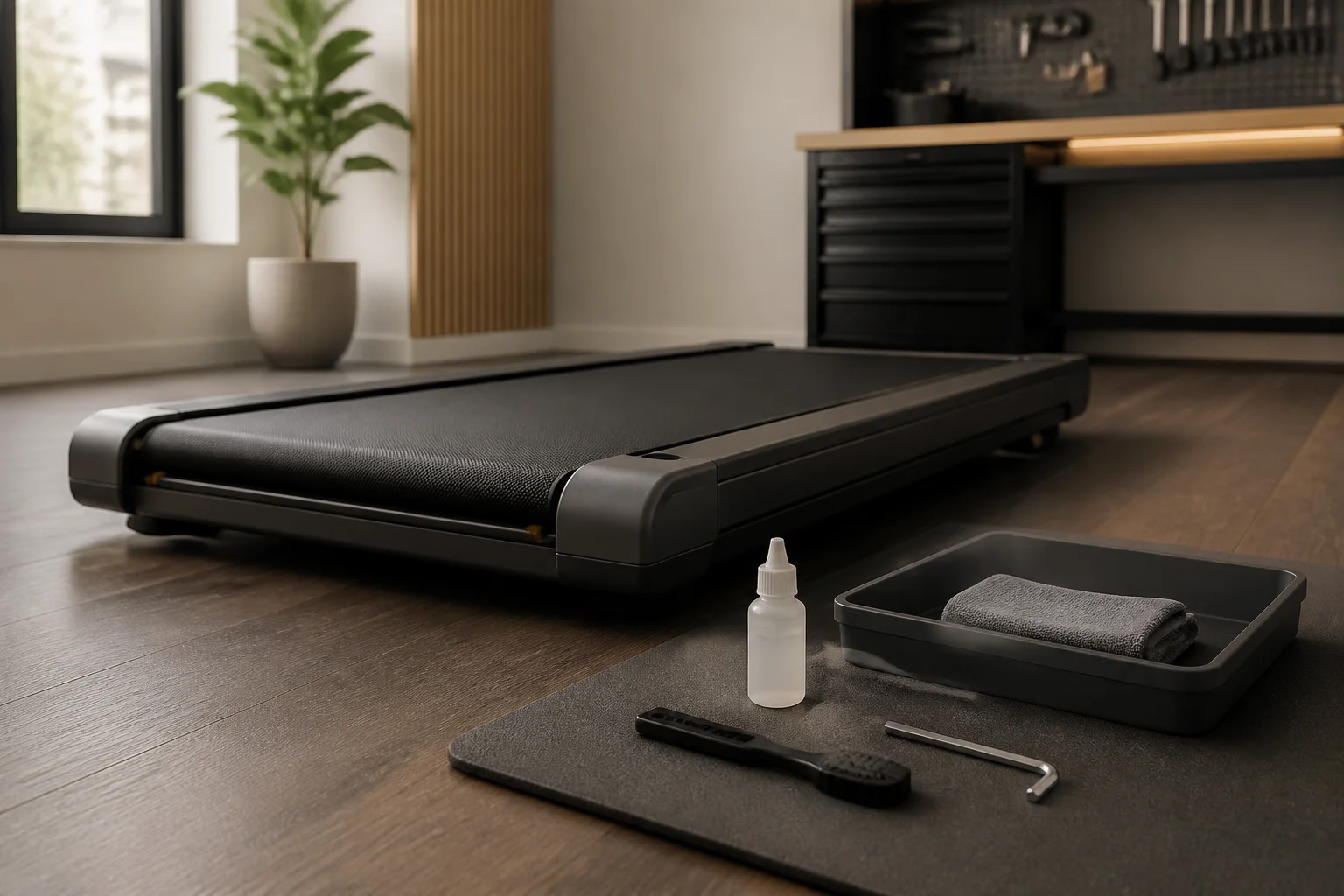
| 3 | Apply lubricant to the deck | Squeeze the lubricant bottle, applying a thin zigzag line on the deck surface under the belt — from front to back, on each side of center |
| 4 | Total amount | Use approximately 1–2 tablespoons (15–30 ml) total — spread across the deck width |
| 5 | Repeat on the other side | Lift the opposite edge of the belt; apply the same zigzag pattern |
| 6 | Lower the belt | Let the belt rest back on the lubricated deck |
| 7 | Plug in and run at low speed | Run the pad at 0.5–1.0 mph for 3–5 minutes with nobody on it — this distributes the lubricant evenly across the deck |
| 8 | Wipe excess | After running, check the belt edges — wipe any lubricant that squeezed out with a cloth |
Common Lubrication Mistakes
| Mistake | Consequence | Correct Approach |
|---|---|---|
| Too much lubricant | Belt slips; feet slip on belt surface; messy edges | 1–2 tablespoons total; wipe excess |
| Lubricant on belt surface | Slippery walking surface — safety hazard | Apply under the belt only; wipe top surface if contaminated |
| Not distributing | Lubrication only in center; edges still dry | Run at low speed for 3–5 minutes to spread evenly |
| Using wrong product | Belt degradation, deck damage, motor issues | 100% silicone treadmill lubricant only |
Belt Cleaning
Weekly Surface Wipe (2 Minutes)
| Step | Action |
|---|---|
| 1 | Turn off and unplug the walking pad |
| 2 | Dampen a cloth with plain water (not soaking) |
| 3 | Wipe the entire belt surface from front to back |
| 4 | Advance the belt by hand and repeat until the full belt has been wiped |
| 5 | Dry with a clean cloth |
This removes dust, sweat residue, shoe debris, and surface grime that accumulate during daily use. Sweat is mildly corrosive — regular wiping prevents it from degrading the belt surface.
Monthly Deep Clean (5 Minutes)
| Step | Action |
|---|---|
| 1 | Turn off and unplug |
| 2 | Mix a mild soap solution — a few drops of dish soap in a bowl of warm water |
| 3 | Dampen a cloth with the soap solution (wring thoroughly — damp, not wet) |
| 4 | Wipe the belt surface; advance the belt by hand; repeat for the full circumference |
| 5 | Wipe again with a clean water-dampened cloth to remove soap residue |
| 6 | Dry with a clean cloth |
| 7 | Wipe the side rails and exposed deck edges |
| 8 | Clean the display with a dry microfiber cloth |
What NOT to Use on the Belt
| Product | Why to Avoid |
|---|---|
| Bleach | Degrades PVC and rubber belt material; causes cracking |
| Isopropyl alcohol | Dries and hardens the belt surface over time |
| All-purpose cleaner | Chemical additives may degrade belt material |
| Pressure washer | Forces water into motor and electronics — catastrophic damage |
| Abrasive pads | Scratches the belt surface; creates uneven texture |
Belt Tension and Alignment
Why Tension Matters
A belt that is too loose slips under your feet — the belt moves backward momentarily with each step before the motor catches it. This feels unstable and wears the belt unevenly. A belt that is too tight strains the motor, increases friction, and accelerates wear on both the belt and the deck.
How to Check Tension
| Step | Action | What You Are Looking For |
|---|---|---|
| 1 | Turn off and unplug | Safety |
| 2 | Stand at the side of the pad | Access the center of the belt |
| 3 | Lift the belt from the center of the deck | Grab one edge and pull upward |
| 4 | Measure the lift height | How far can you lift the belt off the deck surface? |
| Lift Height | Status | Action |
|---|---|---|
| Under 2 inches | Too tight | Loosen tension bolts |
| 2–3 inches | Correct | No adjustment needed |
| Over 3 inches | Too loose | Tighten tension bolts |
How to Adjust Tension
| Step | Action | Details |
|---|---|---|
| 1 | Locate the tension bolts | Usually at the rear of the pad — two hex bolts, one on each side |
| 2 | Use the correct hex key | Typically 5mm or 6mm — check your manual |
| 3 | Turn bolts in small increments | Clockwise to tighten; counterclockwise to loosen |
| 4 | Adjust both sides equally | Quarter-turn on the left, quarter-turn on the right — keeps the belt centered |
| 5 | Recheck lift height | After each adjustment, test the center lift again |
| 6 | Test under load | Walk on the pad at normal speed; the belt should not slip |
Belt Alignment
A belt that drifts to one side is misaligned. This causes uneven wear and can damage the belt edge.
| Symptom | Cause | Fix |
|---|---|---|
| Belt drifts left | Left tension bolt is tighter than right | Loosen left bolt ¼ turn OR tighten right bolt ¼ turn |
| Belt drifts right | Right tension bolt is tighter than left | Loosen right bolt ¼ turn OR tighten left bolt ¼ turn |
| Belt drifts both ways | Uneven floor surface or worn rollers | Level the pad; if rollers are worn, call for service |
Motor and Drive System Care
Motor Vent Cleaning (Every 3–6 Months)
The motor generates heat during operation. Ventilation slots around the motor housing dissipate this heat. If dust clogs the vents, the motor runs hotter — reducing efficiency and shortening its lifespan.
| Step | Action |
|---|---|
| 1 | Turn off and unplug |
| 2 | Locate the motor housing — usually at the front end (under the display area) |
| 3 | Blow compressed air across all visible ventilation slots — 3–4 short bursts per slot |
| 4 | Use a soft brush (old toothbrush) to loosen caked dust around vent openings |
| 5 | Blow compressed air again to clear loosened dust |
| 6 | Wipe the motor housing exterior with a dry cloth |
Motor Health Indicators
| Indicator | Healthy | Warning |
|---|---|---|
| Sound | Consistent hum; volume stays constant at same speed | Grinding, clicking, high-pitched whine, or volume increase |
| Heat | Warm to touch after 1+ hour use | Hot to touch after 15–30 minutes |
| Performance | Belt runs smoothly at all speeds | Belt hesitates, jerks, or loses speed under load |
| Smell | No smell | Burning or electrical smell — stop immediately |
Drive Belt (Internal)
Some walking pads use an internal drive belt connecting the motor to the roller. This belt wears over time. You cannot see it without removing the motor cover. Signs of drive belt wear:
- Motor runs but belt moves slowly or not at all
- Slipping or jerking that is not resolved by external belt tension adjustment
- Squealing from the motor area during operation
Drive belt replacement is a service-level repair — not a user-serviceable part on most models.
Electronics and Display Care
Display
| Task | Method | Frequency |
|---|---|---|
| Dust removal | Wipe with dry microfiber cloth | Weekly |
| Fingerprint removal | Damp microfiber cloth (water only) | As needed |
| Deep clean | Screen cleaning wipe (no harsh chemicals) | Monthly |
Remote Control
| Task | Method | Frequency |
|---|---|---|
| Battery check | Replace batteries if response is sluggish | Every 6–12 months |
| Button cleaning | Wipe with alcohol cloth | Monthly |
| Storage | Keep in a consistent, accessible location | Always |
Circuit Board (No User Maintenance)
The circuit board is sealed inside the motor housing. There is no user-serviceable maintenance. Keep motor vents clear so heat dissipates properly — heat is the primary cause of electronic component failure.
Deck Inspection and Care
What Is the Deck?
The deck is the flat surface underneath the belt — the surface the belt slides over. It is typically a composite board with a smooth, low-friction surface coating. The deck absorbs foot impact (through the belt) and provides the sliding surface for the belt.
Deck Inspection (Every 6–12 Months)
| Step | Action | What to Look For |
|---|---|---|
| 1 | Turn off and unplug | Safety |
| 2 | Lift the belt edge | Expose a section of the deck surface |
| 3 | Run your hand across the deck | Should feel smooth and slightly slippery (from lubricant residue) |
| 4 | Look for wear marks | Grooves, roughened areas, or discoloration under the high-traffic walking zone |
| 5 | Check for dryness | A dry deck (no lubricant residue) means you are under-lubricating |
Deck Condition Guide
| Condition | Status | Action |
|---|---|---|
| Smooth, slightly slippery | ✅ Good | Normal — continue regular lubrication |
| Smooth but dry | ⚠️ Under-lubricated | Lubricate now; increase lubrication frequency |
| Rough or grooved in the walking zone | ⚠️ Wearing | Lubricate more frequently; consider deck replacement if severe |
| Cracked or warped | ❌ Failed | Deck replacement needed — contact manufacturer or repair technician |
Signs Something Is Wrong
Noise Diagnostics
| Sound | Likely Cause | Severity | Action |
|---|---|---|---|
| Squeaking during operation | Dry belt — needs lubrication | ⚠️ Moderate | Lubricate immediately |
| Grinding from motor area | Motor bearing wear | ❌ Serious | Stop use; schedule service |
| Clicking at regular intervals | Debris caught in roller or belt join | ⚠️ Moderate | Inspect rollers; remove debris |
| High-pitched whine | Motor running under excessive load | ❌ Serious | Check belt tension; reduce speed; schedule service if persistent |
| Thumping with each belt rotation | Belt join is separating or debris is lodged under belt | ⚠️ Moderate | Inspect belt join (the seam); clean under belt |
| Loud hum at startup only | Normal motor startup surge | ✅ Normal | No action needed |
Performance Diagnostics
| Symptom | Likely Cause | Fix |
|---|---|---|
| Belt slips under feet | Loose tension or under-lubricated | Check tension; lubricate |
| Belt drifts to one side | Uneven tension | Adjust tension bolts |
| Belt hesitates at low speed | Dry belt or motor issue | Lubricate; if persistent, check motor |
| Speed is inconsistent | Circuit board issue or motor wear | Reset the pad (unplug 30 seconds); if persistent, service |
| Display flickers or shows errors | Electrical issue | Reset; check power cord; contact manufacturer |
| Remote not responding | Dead batteries or signal interference | Replace batteries; re-pair if applicable |
| Burning smell | Motor overheating or electrical short | Stop immediately; unplug; do not use until inspected |
When to Call for Professional Service
Service-Level Issues
| Issue | Why You Need a Technician | Approximate Cost |
|---|---|---|
| Motor bearing failure | Grinding sound; requires motor disassembly or replacement | $80–200 (motor replacement) |
| Belt replacement | Visible cracks, tears, or worn-through spots | $50–150 (belt + labor) |
| Deck replacement | Deep grooves or warping affecting belt movement | $60–120 (deck + labor) |
| Drive belt replacement | Internal belt connecting motor to roller | $40–80 |
| Circuit board failure | Error codes; non-responsive controls; display failure | $60–150 |
| Power cord damage | Frayed, exposed wires, or intermittent power | $20–40 (cord replacement) |
Finding Service
| Option | Pros | Cons |
|---|---|---|
| Manufacturer warranty | Free if under warranty (typically 1–2 years) | Limited warranty period; may require shipping the unit |
| Local treadmill repair | In-home service; fast turnaround | Not all technicians know walking pads; find one who works on treadmills |
| DIY with replacement parts | Cheapest; parts available on Amazon for many models | Requires mechanical comfort; may void warranty |
The Repair-vs-Replace Decision
| Walking Pad Age | Repair Cost | Recommendation |
|---|---|---|
| Under 1 year | Any | Repair — check warranty first |
| 1–2 years | Under $100 | Repair — cost-effective |
| 1–2 years | Over $100 | Evaluate — compare to new pad cost |
| 3+ years | Under $80 | Repair if pad is otherwise sound |
| 3+ years | Over $80 | Replace — newer models are more efficient |
Lifespan by Component
Expected Component Life with Proper Maintenance
| Component | Lifespan (Maintained) | Lifespan (Unmaintained) | Replacement Cost |
|---|---|---|---|
| Belt | 2–4 years | 6–12 months | $30–80 |
| Deck | 3–6 years | 1–2 years | $40–80 |
| Motor | 4–8 years | 2–4 years | $60–150 |
| Electronics | 5–10 years | 5–10 years (less affected by maintenance) | $40–100 |
| Rollers | 4–7 years | 2–4 years | $20–50 |
| Remote | 5+ years | 5+ years | $10–20 |
| Power cord | 5+ years | 5+ years | $15–30 |
Total Walking Pad Lifespan
| Quality Tier | Price Range | Maintained Lifespan | Unmaintained Lifespan |
|---|---|---|---|
| Budget | $150–250 | 3–5 years | 1–2 years |
| Mid-range | $250–400 | 4–6 years | 2–3 years |
| Premium | $400–600 | 5–7 years | 3–4 years |
The math is clear: a $10 bottle of silicone lubricant and 30 minutes of annual maintenance can double a walking pad's functional lifespan — turning a 2-year disposable purchase into a 5-year investment.
For storage tips when not in active use, see our walking pad storage tips guide. For choosing a pad built to last, see our best budget walking pads guide.
Frequently Asked Questions
How often should I lubricate?
Every 3–6 months for regular use (1–3 hours daily). Every 1–2 months for heavy use (4+ hours daily). Use 100% silicone treadmill lubricant — never WD-40 or cooking oil.
What lubricant should I use?
100% silicone-based treadmill belt lubricant only. Costs $8–15 per bottle; one bottle lasts 6–12 applications. Apply between the belt and deck, not on the walking surface.
How do I check belt tension?
Lift the belt at the center of the deck. Correct: 2–3 inches of lift. Under 2": too tight (loosen). Over 3": too loose (tighten). Adjust via rear tension bolts in equal increments.
How do I clean the belt?
Weekly: damp cloth wipe. Monthly: mild soap solution wipe, then water rinse wipe, then dry. Never bleach, alcohol, or pressure wash.
How long do walking pads last?
With maintenance: 3–7 years. Without: 1–3 years. Belt lubrication is the single biggest factor. A $10 lubricant bottle can double the pad's lifespan.
When should I call for service?
Grinding motor sounds, visible belt cracks, burning smell, belt that slips despite correct tension and lubrication, or persistent error codes. Stop use immediately for burning smells.
Do I need to lubricate even if I barely use it?
Yes — lubricant degrades over time. Lubricate every 6 months minimum, even with infrequent use. Lubricate before resuming use after 3+ months of storage.
Can I replace the belt myself?
Possible but not easy — 1–2 hours, basic tools, and the correct replacement belt for your model. Local treadmill repair technicians charge approximately $80–150 including the belt.
Sources and Methodology
This guide covers walking pad maintenance based on treadmill engineering principles, belt and motor care best practices, and manufacturer maintenance guidelines.
Mechanical References:
- Treadmill belt and deck friction: silicone-based lubricant reduces friction coefficient by 60–80%, reducing motor load and belt wear proportionally
- Belt material (PVC/rubber composite): degraded by petroleum products, bleach, and alcohol-based cleaners; compatible with silicone lubricant and mild soap
- Motor bearing life: heat is the primary failure mechanism; clean ventilation extends bearing life
Manufacturer References:
- Belt tension specifications: 2–3 inch center lift is the standard range across manufacturers
- Lubrication quantity: 15–30 ml per application is the typical manufacturer recommendation
Methodology notes:
- Lifespan estimates are based on typical consumer treadmill and walking pad component life, adjusted for walking pad usage patterns (lower speed, lower impact than running treadmills)
- Repair costs are approximate US market rates at publication; regional variation applies
- "Maintained" assumes following the schedule in this guide; "unmaintained" assumes zero maintenance beyond casual use
- This guide provides equipment care information; consult your specific model's manual for any manufacturer-specific instructions that may differ
- We may earn a commission on purchases at no additional cost to you; affiliate relationships do not influence recommendations
Internal links referenced:
Visual Guide Gallery