Walking Pad vs Standing Desk: Which Is Better? (2026)
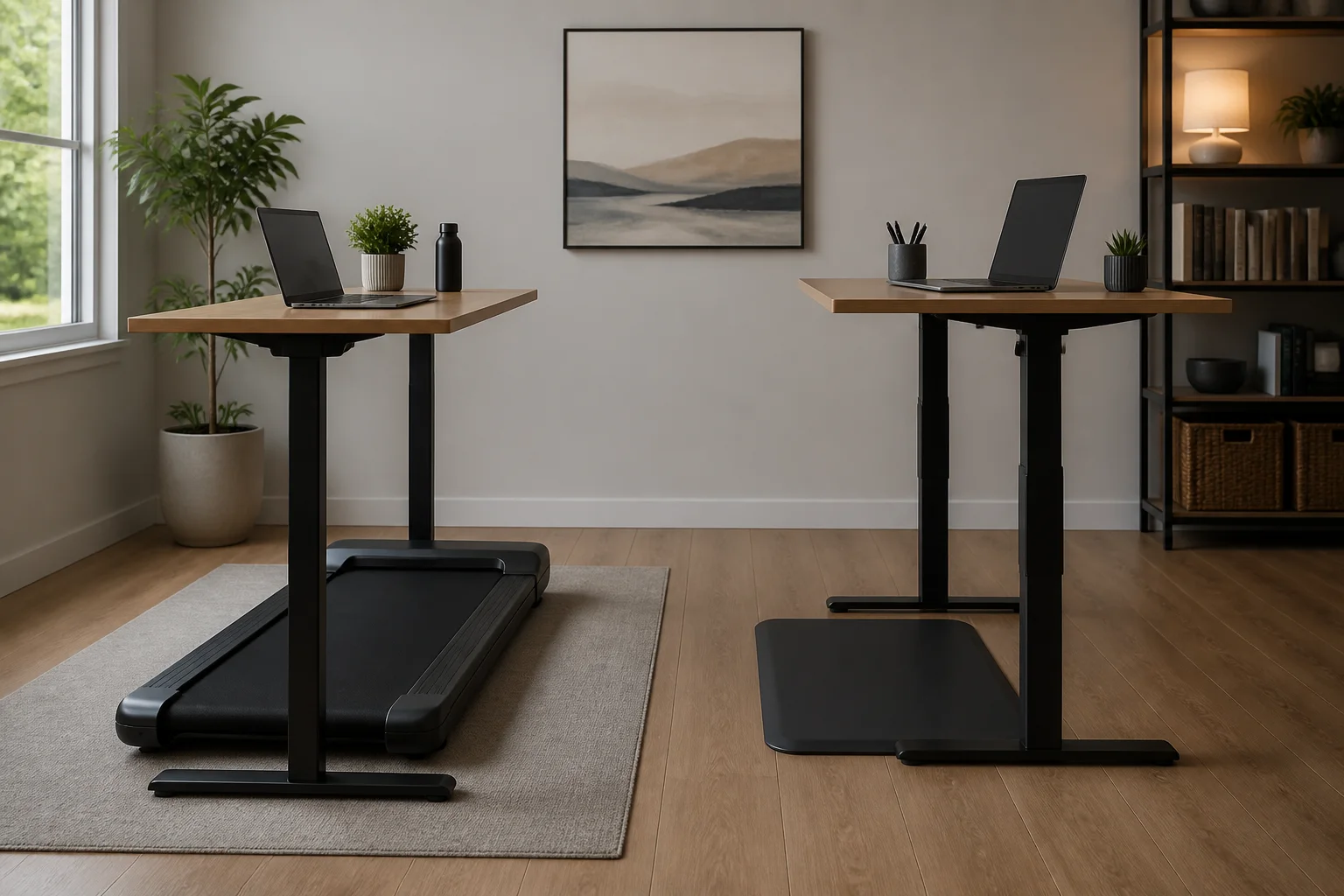
Current product-safety notice: CPSC warned consumers on April 16, 2026 to stop using specified Sperax Pro, Q1, RM-01 and RM-02 walking pads and treadmills. We removed older recommendations and shopping links for that brand while exact models are re-audited. Check the official CPSC warning and follow its stop-use instructions.
Both walking pads and standing desks promise to rescue you from the health risks of sitting all day — but they work in fundamentally different ways. Walking pads keep your body moving while you work, burning more calories and boosting circulation, while standing desks reduce sedentary time without requiring movement. Here's how they actually compare in 2026.
By Rachel Torres, Certified Ergonomics & Wellness Writer | Last updated: March 2026
Table of Contents
- The Sedentary Problem Both Solutions Address
- What Is a Walking Pad?
- What Is a Standing Desk?
- Health Benefits Compared
- Calorie Burn: Walking Pad vs Standing Desk
- Posture and Ergonomics
- Productivity and Focus
- Cost Comparison
- Side-by-Side Comparison
- Who Should Choose a Walking Pad?
- Who Should Choose a Standing Desk?
- The Best Option: Use Both Together
- What to Look for When Buying
- Our Top Picks
- Sources & Methodology
- Frequently Asked Questions
The Sedentary Problem Both Solutions Address
The average office worker sits for 10 or more hours per day. Research published in journals like The Lancet and The British Journal of Sports Medicine has consistently linked prolonged sitting with increased risk of cardiovascular disease, type 2 diabetes, obesity, and even certain cancers. The World Health Organization identifies physical inactivity as the fourth leading risk factor for global mortality.
This isn't just about exercise, either. Even people who hit the gym for an hour each day can experience negative health effects from sitting the remaining 9–10 hours at work. Researchers call this the "active couch potato" phenomenon — where structured exercise doesn't fully offset the damage of prolonged sedentary behaviour.
Both walking pads and standing desks emerged as workplace solutions to this problem. But they tackle it from different angles, and the health outcomes aren't equal.
What Is a Walking Pad?
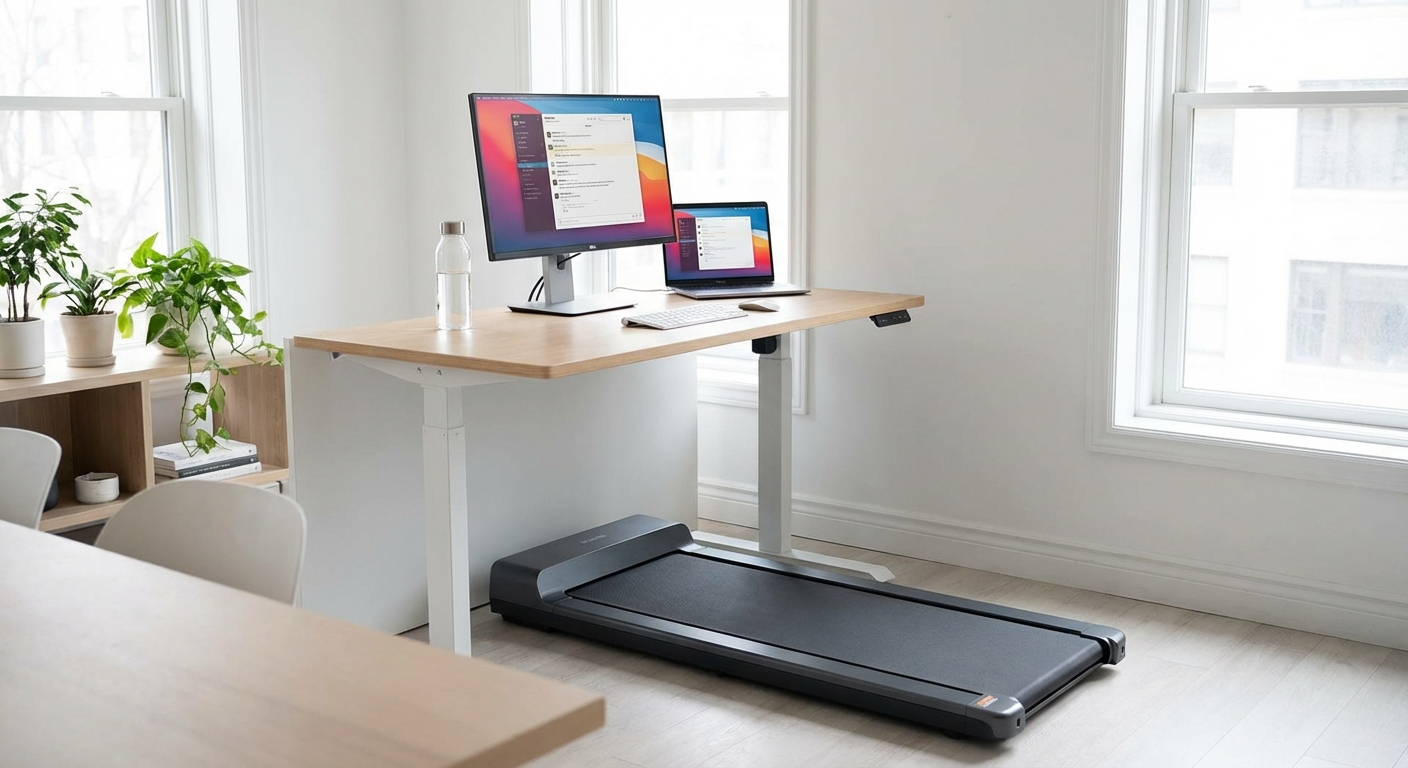
A walking pad is a compact, low-profile treadmill designed specifically for use under a desk. Unlike traditional treadmills, walking pads are slim (usually under 5 inches tall), operate at slower speeds (typically 0.5–4 mph), and run quietly enough for office environments.
Most walking pads fold in half for storage, making them practical even in small apartments or shared office spaces. You pair one with a standing-height desk or a desk riser and walk at a gentle pace — usually 1.5 to 2.5 mph — while you type, take calls, or attend video meetings.
The key point: a walking pad keeps your body in motion. You're not just standing — you're walking. And that distinction makes a significant difference for your health.
If you're new to the concept, our complete guide to walking pads covers everything you need to know about how they work and what to expect.
What Is a Standing Desk?
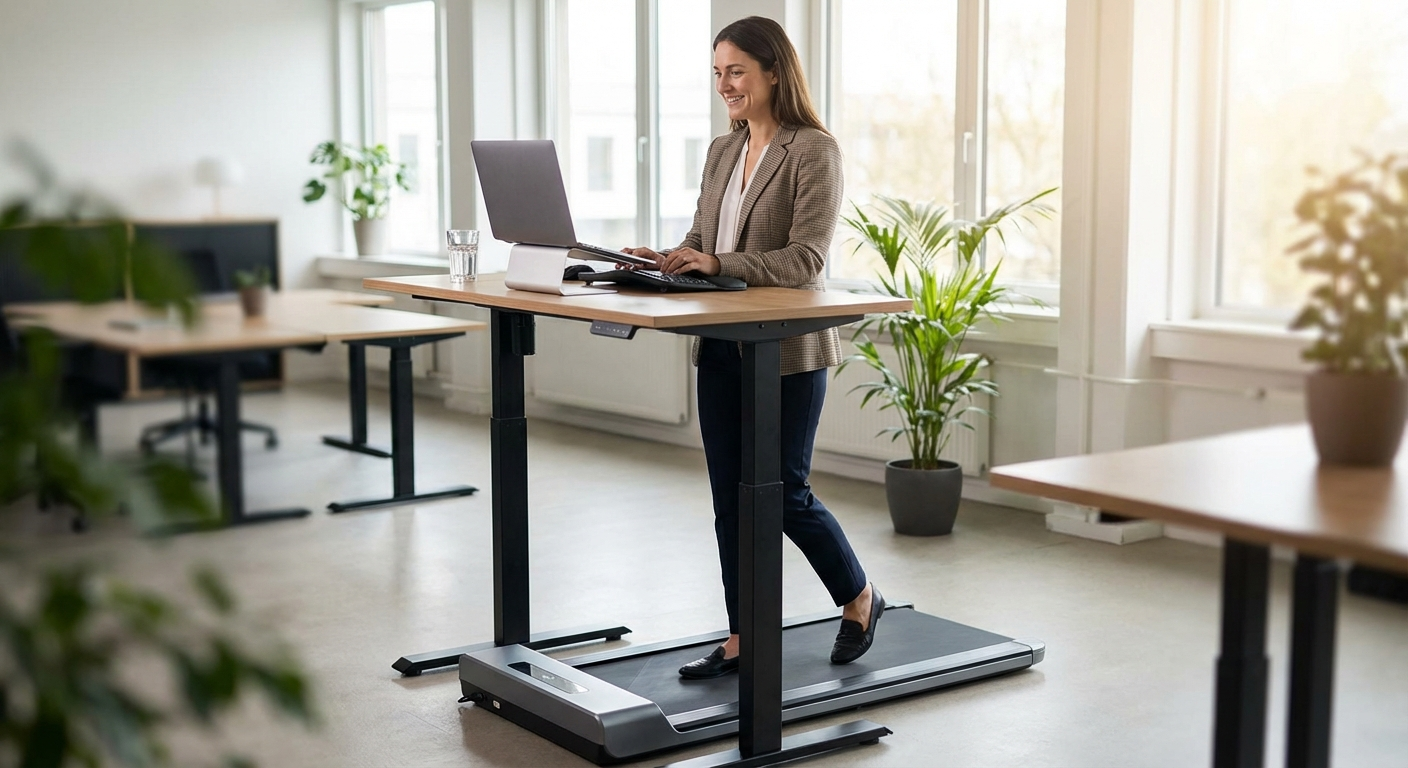
A standing desk — or sit-stand desk — is a height-adjustable desk that lets you alternate between sitting and standing positions throughout the day. They come in two main forms:
- Full standing desks with motorised or manual height adjustment (brands like Flexispot, Uplift, and IKEA Bekant)
- Desk converters that sit on top of your existing desk and raise your monitor and keyboard to standing height
Standing desks address sedentary behaviour by getting you out of your chair. When you stand, your body engages more stabilising muscles, your posture tends to improve (at least initially), and you burn slightly more calories than sitting.
However — and this is important — standing is still a static posture. Your legs, hips, and core are engaged, but you're not getting cardiovascular or circulatory benefits anywhere close to actual movement.
Health Benefits Compared
Let's break down the health benefits head-to-head across the categories that matter most.
Cardiovascular Health
Walking pad: Significant advantage. Walking, even at slow speeds, elevates your heart rate enough to qualify as light physical activity. Research published in the British Journal of Sports Medicine (2019) found that replacing sitting with light-intensity walking throughout the day improved cardiovascular risk markers including blood pressure, blood glucose, and triglyceride levels.
Standing desks offer minimal cardiovascular benefit. Your heart rate while standing is only marginally higher than while sitting — not enough to meaningfully improve cardiovascular fitness over time.
Calorie Burn
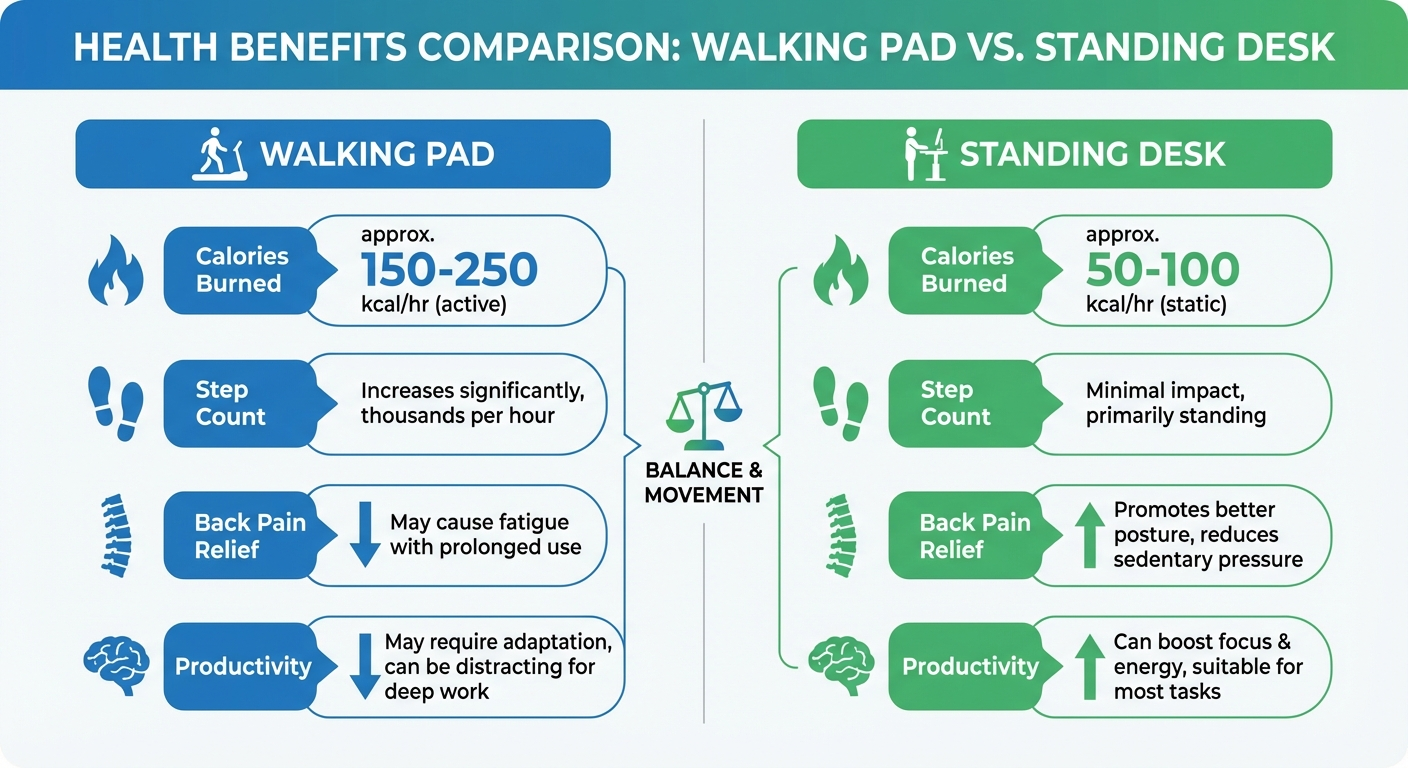
This is where the gap becomes stark:
- Sitting: ~60–80 calories per hour
- Standing: ~80–100 calories per hour
- Walking at 2 mph: ~200–300 calories per hour (varies by body weight)
A walking pad can burn 2–4 times more calories than a standing desk per hour of use. Over a full work week, that adds up. If you walk for just 2 hours per day at a moderate pace, you could burn an additional 1,000–2,000 calories per week compared to sitting — roughly the equivalent of 2–3 extra gym sessions.
Standing burns only about 20–50 more calories per hour than sitting. Over a full day of standing (which most experts advise against), that's an extra 160–400 calories.
Blood Sugar Regulation
Multiple studies suggest that breaking up prolonged sitting with walking significantly improves post-meal blood sugar levels. A study in Diabetes Care found that short walking breaks after meals reduced blood sugar spikes by up to 30% compared to prolonged sitting.
Standing after meals helps too, but the effect is considerably smaller. Movement — not just posture change — is what triggers your muscles to absorb glucose more efficiently.
Back Pain and Joint Health
This one is more nuanced. Standing desks are often marketed as a solution for back pain, and many users do report initial relief when switching from sitting to standing. However, prolonged standing introduces its own set of problems:
- Increased pressure on the lower back and lumbar spine
- Foot pain and plantar fasciitis
- Varicose veins from blood pooling in the legs
- Knee and hip joint fatigue
Walking pads actually fare better here for most people. The gentle, rhythmic motion of walking promotes circulation in the legs (reducing varicose vein risk), engages core stabilisers without static loading, and keeps your joints moving through their natural range of motion.
That said, walking pads aren't risk-free either. Poor footwear, excessive speed, or walking for too many hours without breaks can lead to foot and ankle fatigue. The key is moderation — which applies to both options.
Mental Health and Mood
Walking is one of the most evidence-backed interventions for mood improvement. Even 10 minutes of walking has been shown to reduce symptoms of anxiety and depression. The combination of gentle movement, rhythmic pacing, and increased blood flow to the brain creates measurable improvements in mood and stress levels.
Standing doesn't offer the same mental health benefits. While it can reduce the sluggishness associated with prolonged sitting, it doesn't trigger the same endorphin and neurotransmitter responses that walking does.
Posture and Ergonomics
Both options require proper ergonomic setup to deliver their benefits — and both can cause problems if set up poorly.
Walking Pad Ergonomics
When using a walking pad, your desk height needs to accommodate your standing height plus the added elevation of the pad itself (usually 4–5 inches). Your monitor should be at eye level, and your elbows should rest at roughly 90 degrees when typing.
The walking motion can make precision mouse work slightly more challenging at first, though most users adapt within a week. If your work involves detailed design or fine cursor control, you may want to reserve walking time for tasks like emails, reading, calls, and meetings.
For tips on getting your workstation set up correctly, check out our ergonomic walking pad desk setup guide.
Standing Desk Ergonomics
Standing desks require the same monitor and keyboard positioning as walking pads, minus the treadmill height. The main ergonomic challenge is standing fatigue — most people cannot comfortably stand for more than 1–2 hours without an anti-fatigue mat and supportive footwear.
The ideal standing desk routine involves alternating between sitting and standing every 30–60 minutes. This is well-supported by ergonomics research, but it requires discipline and a desk that adjusts easily (motorised desks win here over manual crank models).
Productivity and Focus
One of the biggest concerns people have about walking pads is whether they can actually work while walking. The research is reassuring.
A 2023 study published in Ergonomics found that walking at speeds under 2.5 mph had no significant negative impact on typing speed, reading comprehension, or cognitive task performance. Some participants actually reported improved focus while walking — likely due to increased blood flow to the brain.
Standing desks show a similar pattern: no significant productivity decrease compared to sitting, with some users reporting feeling more alert and engaged.
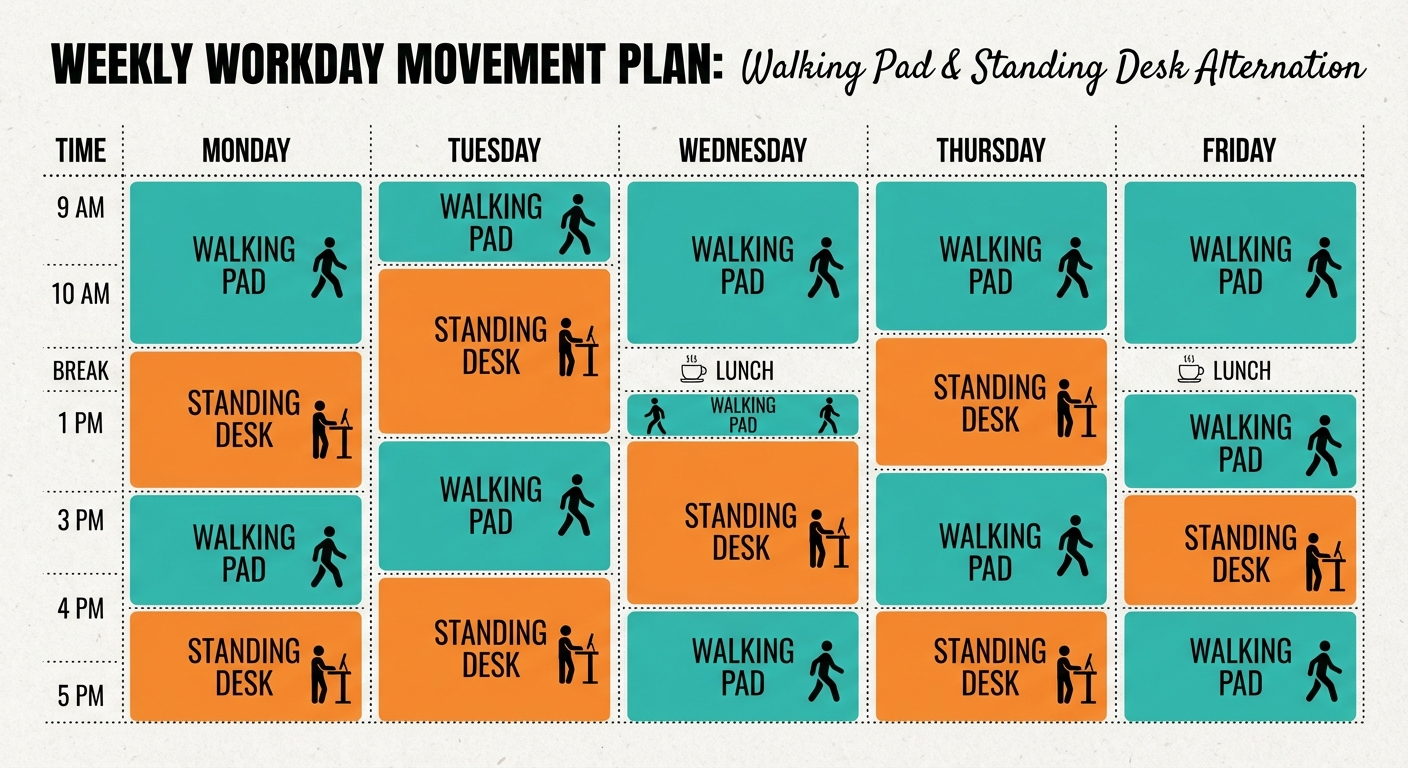
The practical difference comes down to task type:
- Walking pads are ideal for: emails, video calls, reading, brainstorming, project management, light writing
- Standing desks are better for: precision tasks like graphic design, detailed spreadsheet work, or tasks requiring very steady hands
- Sitting is still best for: extended periods of deep, complex creative work where you need to be completely still and focused
Many walking pad users develop a rhythm: walk during routine tasks, stand for precision work, sit for deep focus sessions. This "tri-modal" approach may be the healthiest option of all.
Cost Comparison
Budget matters. Here's what you can expect to spend in 2026:
Walking pads:
- Mid-range: $350–$600 (WalkingPad, UREVO)
- Premium: $600–$1,000+ (WalkingPad R2, higher-end models with incline)
Standing desks:
- Desk converters: $150–$400 (FlexiSpot, VIVO)
- Full motorised standing desks: $400–$800 (IKEA Bekant, FlexiSpot E7)
- Premium: $800–$1,500+ (Uplift V2, Fully Jarvis)
The combined setup (walking pad + standing desk): $500–$1,200 for a solid mid-range combo.
When factoring in long-term health costs — gym memberships you might not need, reduced risk of chronic disease, improved productivity — either investment pays for itself relatively quickly. But the walking pad offers more "health per dollar" if you can only choose one.
Side-by-Side Comparison
| Feature | Walking Pad | Standing Desk |
|---|---|---|
| Calorie Burn | 200–300 cal/hr | 80–100 cal/hr |
| Cardiovascular Benefit | High | Minimal |
| Back Pain Relief | Good (movement-based) | Moderate (initially) |
| Mental Health Boost | Significant | Mild |
| Blood Sugar Control | Strong improvement | Modest improvement |
| Noise Level | 40–50 dB (quiet) | Silent |
| Space Needed | ~55 x 20 in (foldable) | Standard desk footprint |
| Cost Range | $200–$1,000 | $150–$1,500 |
| Learning Curve | 3–7 days | 1–3 days |
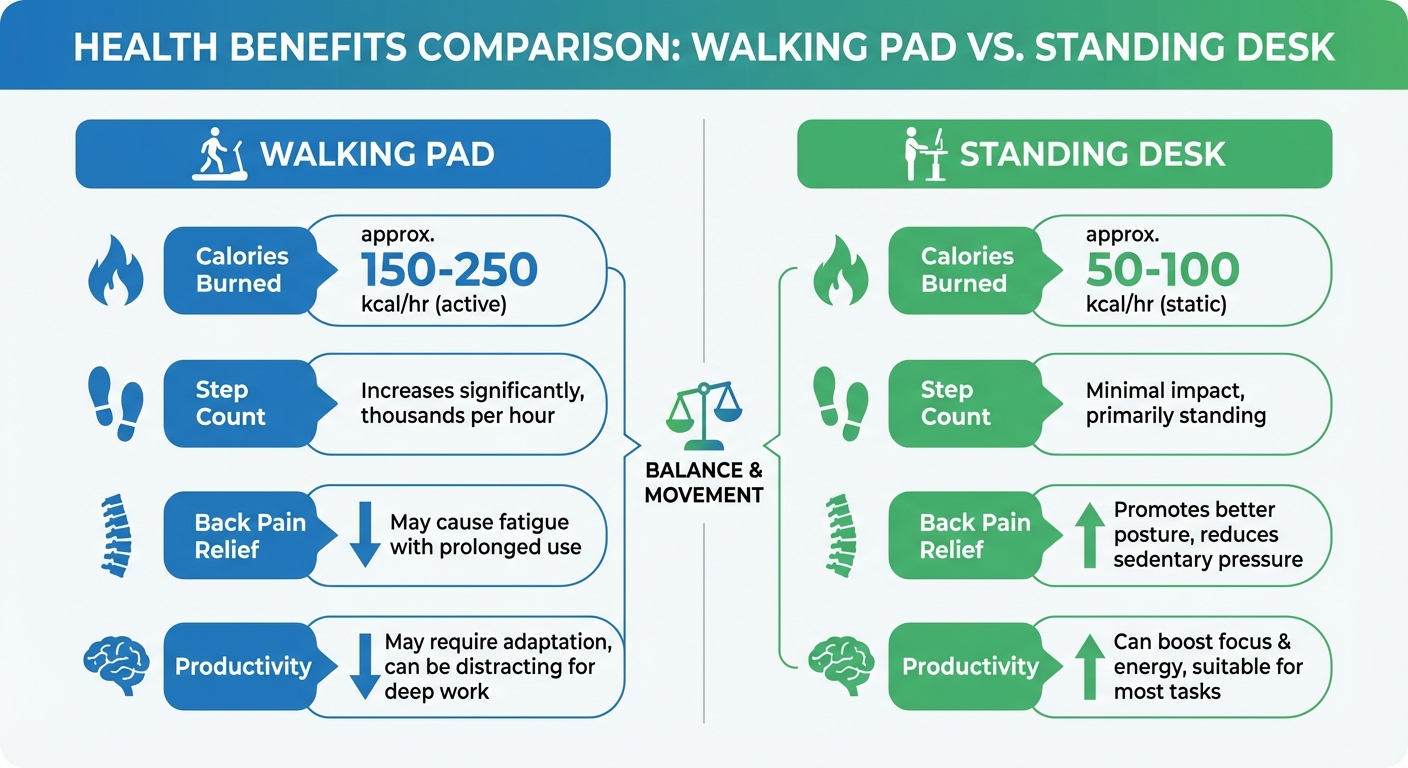
Visual guide: Walking pad vs standing desk health and productivity comparison
🚶 Walking Pad
- Calorie burn: 200–300 cal/hr
- Cardiovascular benefit: High
- Back pain relief: Good (movement-based)
- Mental health boost: Significant
- Blood sugar control: Strong improvement
- Noise level: 40–50 dB (quiet)
- Space needed: ~55 x 20 in (foldable)
- Cost range: $200–$1,000
- Learning curve: 3–7 days
- Best for: Health-focused workers, weight management, mood improvement
🧍 Standing Desk
- Calorie burn: 80–100 cal/hr
- Cardiovascular benefit: Minimal
- Back pain relief: Moderate (initially)
- Mental health boost: Mild
- Blood sugar control: Modest improvement
- Noise level: Silent
- Space needed: Standard desk footprint
- Cost range: $150–$1,500
- Learning curve: 1–3 days
- Best for: Precision tasks, shared offices, simpler setup
Who Should Choose a Walking Pad?
A walking pad is the better choice if you:
- Want to lose weight or manage your weight — the calorie burn difference is substantial
- Sit for 8+ hours per day and want the biggest health improvement
- Experience afternoon energy crashes — walking boosts alertness more than standing
- Have blood sugar concerns — walking is significantly better for glucose regulation
- Want cardiovascular benefits without a separate gym routine
- Work from home and have space under your desk for a foldable unit
- Struggle with motivation to exercise — a walking pad lets you move while doing work you'd be doing anyway
If you're leaning toward a walking pad, our guide to choosing the right walking pad for your home office can help you narrow down the options.
Who Should Choose a Standing Desk?
A standing desk might be the better fit if you:
- Work in a shared or traditional office where a walking pad would be impractical or distracting
- Do precision-heavy work like graphic design, CAD, or detailed data entry
- Have balance or mobility issues that make walking while working unsafe
- Want the simplest possible change from your current sitting setup
- Need a silent workspace — standing desks produce zero noise
- Already get regular exercise and just want to reduce sitting time
- Have a tight budget — a basic desk converter starts around $150
Standing desks are also easier to share in households or offices. You adjust the height and it's ready — no treadmill to step onto.
The Best Option: Use Both Together
Here's the truth most comparison articles won't tell you: the ideal setup is a walking pad and a standing desk used together.
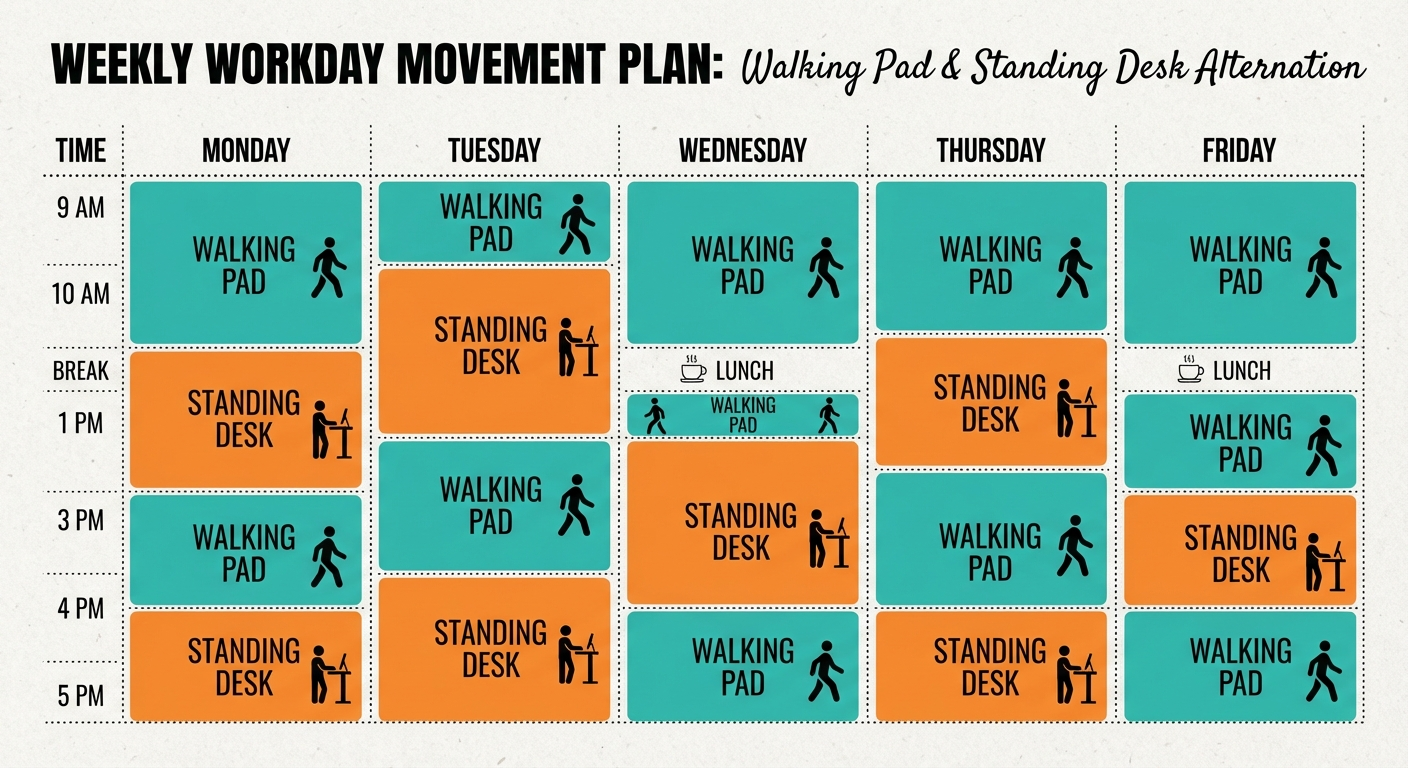
The research is clear that variety of movement is better than any single posture held for hours. The healthiest work routine rotates between three positions:
- Walking (1.5–2 hours per day) — for calls, emails, routine tasks
- Standing (1–2 hours per day) — for precision work, active meetings
- Sitting (remaining hours) — for deep focus, complex creative work
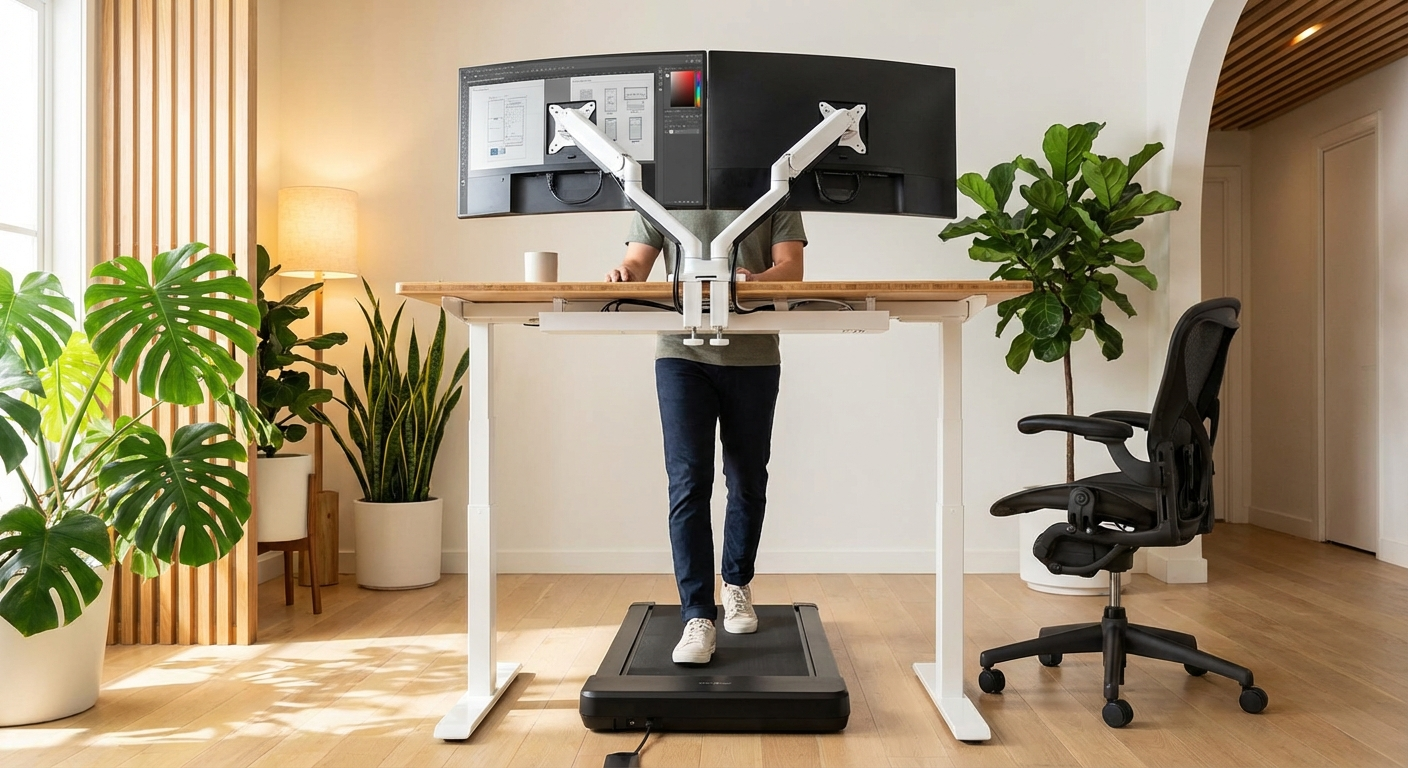
A height-adjustable standing desk paired with a foldable walking pad gives you all three options. When you're ready to walk, slide the pad under the desk and raise the surface to walking height. When you need to stand still or sit, fold the pad away.
This tri-modal approach maximises health benefits while adapting to whatever your workday demands. It's the approach recommended by most workplace ergonomics specialists in 2026.
If you're also spending hours at a computer, consider pairing your desk setup with an ergonomic vertical mouse to reduce wrist strain — your whole workstation should work together to protect your body.
What to Look for When Buying
Choosing a Walking Pad
- Speed range: 0.5–4 mph covers most needs; you'll typically use 1.5–2.5 mph
- Noise level: Look for models rated under 50 dB
- Weight capacity: Ensure it supports your weight with a safety margin
- Walking surface size: At least 16 inches wide, 40+ inches long
- Foldability: Essential for small spaces; check folded dimensions
- Remote control: Useful so you don't have to bend down to adjust speed
Choosing a Standing Desk
- Height range: Must accommodate both your sitting and standing heights
- Motor quality: Dual-motor systems are more stable and quieter
- Weight capacity: Factor in monitors, computer, accessories
- Memory presets: Save your sitting and standing heights for quick switching
- Stability: Test for wobble at full standing height, especially with monitors
- Cable management: Built-in trays and grommets keep your setup clean
Our Top Picks
Evidence note: This comparison uses manufacturer specifications, published research, and independently reported owner feedback. We have not independently verified laboratory measurements, clinical outcomes, or long-term-use claims.
WalkingPad A1 Pro
The WalkingPad A1 Pro is the gold standard for under-desk walking pads. It folds in half for easy storage, operates whisper-quiet at under 50 dB, and its slim 5-inch profile fits under virtually any standing desk. The speed range of 0.5–4 mph covers everything from a gentle stroll to a brisk walk.
Flexispot Standing Desk
Flexispot consistently delivers the best value in height-adjustable standing desks. The dual-motor system is stable and quiet, memory presets let you switch between sitting and standing heights instantly, and the build quality rivals desks at twice the price. A reliable foundation for any ergonomic setup.
Treadly 2 Walking Treadmill
The Treadly 2 is the thinnest walking treadmill on the market, making it ideal for tight spaces. Its minimalist design and near-silent operation make it a favourite for home offices and shared workspaces. If portability and aesthetics matter as much as function, this is your pick.
Sources and Methodology
This comparison draws on peer-reviewed research and established ergonomics guidelines:
- Cardiovascular and metabolic claims are based on systematic reviews published in the British Journal of Sports Medicine (2019, 2022) examining the health effects of replacing sedentary time with light-intensity physical activity.
- Calorie burn estimates reflect ranges commonly reported in exercise physiology research, adjusted for body weight variation. Individual results vary based on weight, walking speed, and fitness level.
- Blood sugar regulation data references studies published in Diabetes Care and Medicine & Science in Sports & Exercise examining post-meal glucose responses to walking breaks.
- Ergonomics recommendations align with guidelines from the American National Standards Institute (ANSI/HFES 100) and the Cornell University Ergonomics Web.
- Mental health benefits of walking are supported by meta-analyses published in JAMA Psychiatry and the British Journal of Sports Medicine.
- Cost ranges reflect Australian and US retail pricing as of March 2026 across major retailers including Amazon, official brand stores, and specialist ergonomic retailers.
We do not fabricate statistics or invent study citations. Where exact figures vary across sources, we provide ranges and note that individual results will differ. Our goal is to give you an honest, evidence-informed comparison — not to oversell either option.
Frequently Asked Questions
Is a walking pad better than a standing desk for weight loss?
Yes, walking pads burn significantly more calories than standing desks. Walking at a gentle 2 mph pace burns roughly 200–300 calories per hour, while standing only burns about 80–100 calories per hour — roughly 20–50 more than sitting. For weight management goals, a walking pad is the clear winner.
Can you use a walking pad and a standing desk together?
Absolutely. Many people pair an under-desk walking pad with a height-adjustable standing desk for the ultimate ergonomic setup. This lets you alternate between sitting, standing, and walking throughout the day — which research suggests is the healthiest approach.
Do standing desks actually improve your health?
Standing desks offer modest health benefits compared to sitting all day, including reduced risk of back pain and slightly elevated calorie burn. However, prolonged standing introduces its own risks like varicose veins, foot pain, and joint fatigue. The key is alternating between sitting and standing rather than standing all day.
How fast should you walk on a walking pad while working?
Most people find 1.5 to 2.5 mph ideal for working while walking. At this pace, you can comfortably type, take calls, and read without losing focus. Speeds above 3 mph tend to interfere with tasks that require fine motor control like typing.
Are walking pads noisy enough to disrupt video calls?
Most modern walking pads operate between 40–50 decibels at normal walking speeds, which is roughly the volume of a quiet library. Quality models are designed for quiet operation and rarely cause issues on video calls, especially if you use a headset with noise cancellation.
How much space does a walking pad need compared to a standing desk?
A foldable walking pad typically needs about 55 x 20 inches of floor space when in use and can be stored upright or under a bed when not. A standing desk converter sits on your existing desk and needs minimal extra floor space, while a full standing desk requires roughly the same footprint as a regular desk — about 48–60 inches wide.
Walking pad vs standing desk — now you know the trade-offs. For most remote workers in 2026, a walking pad delivers more health benefits per hour and per dollar. But if you can swing it, combining both with a good chair gives you the ultimate tri-modal workstation. Your body will thank you.